


The internet is full of useful websites, helpful downloads, and important links. Still, one careless click can lead to malware, phishing, fake login pages, or unsafe files. That’s where Vtchromizer becomes useful. It is connected with the idea of scanning links, files, and suspicious URLs through VirusTotal-style browser protection so users can make safer decisions before opening risky content.
In simple words, this kind of tool helps you check a link or file before you fully trust it. That matters because many online threats are designed to look normal. A fake invoice, a shortened URL, a copied banking page, or a strange download button can fool even careful users.
VirusTotal’s official documentation says its modern browser extension, VT4Browsers, lets users check files, links, and interesting items while browsing. It also supports scanning downloads and reviewing suspicious web elements without leaving the current browser workflow.
What Is Vtchromizer?
Vtchromizer is best understood as a browser-based security helper linked to VirusTotal-style scanning. Older references describe VTchromizer as a Chrome extension that allowed users to interact with VirusTotal directly from the browser, including scanning target URLs before visiting them. VirusTotal’s own 2012 blog described the extension as a Google Chrome browser extension for interacting with VirusTotal and noted that it added a right-click option for scanning links before opening them.
That simple idea is still valuable today: don’t guess whether something is safe; check it first. The tool does not magically remove every danger, but it adds a useful safety step between suspicion and action.

How Browser-Based Link Scanning Works
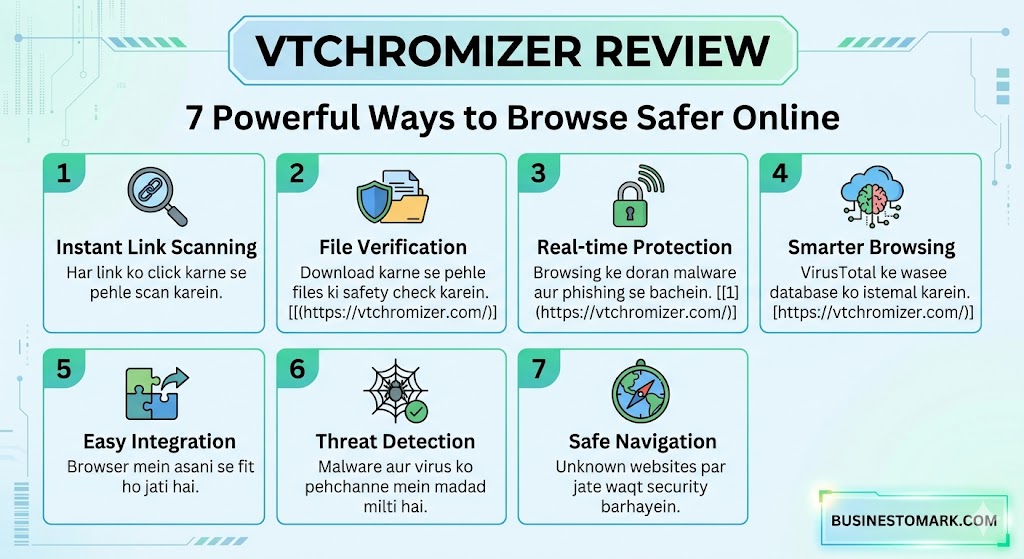
Browser-based scanning saves time. Instead of copying a suspicious URL, opening a new tab, visiting a scanning website, and pasting the link, users can often scan directly from the browser menu or extension button.
This is helpful when checking:
| Situation | Why It Matters |
|---|---|
| Unknown email links | May lead to phishing pages |
| Shortened URLs | Hide the real destination |
| Download buttons | May deliver unwanted files |
| Forum or social media links | Can redirect to risky pages |
| Work-related files | May contain malware or scripts |
The older VTchromizer workflow focused on sending links to VirusTotal for review before the user visited them.
More Read

Why VirusTotal Integration Matters
VirusTotal is widely known for analyzing suspicious files, domains, IP addresses, and URLs. Its homepage describes the service as a place to analyze suspicious files, domains, IPs, and URLs to detect malicious activity.
This matters because a single antivirus result can miss something. VirusTotal-style checking can provide broader context from many detection engines and threat intelligence sources. However, users should still think carefully. A “clean” result does not always mean a link is perfectly safe, especially if the threat is brand new.
The History of Vtchromizer and VT4Browsers
Cybersecurity tools change over time. The original VTchromizer name is often associated with the older Chrome extension, while VirusTotal’s modern browser extension is now known as VT4Browsers.
Mozilla’s extension version history states that VTZilla and VTChromizer were merged into VT4Browsers in version 3.0, released on October 22, 2019.
From Chrome Extension to Modern Browser Security Tools
The early version was mainly about quick scanning. The modern VT4Browsers tool has grown into a broader browser security assistant. VirusTotal’s documentation says VT4Browsers can check links, files, and interesting items while navigating. Since VT4Browsers 4.0, it can also identify indicators of compromise such as hashes, domains, IPs, and URLs on selected websites.
What Changed With VT4Browsers
The biggest change is depth. Instead of only scanning a link or file, modern browser-based VirusTotal tools can help security analysts review threat context directly inside the browser.
More Read

VirusTotal’s 2022 blog said VT4Browsers could automatically identify indicators of compromise on websites and enrich them with threat reputation and context from VirusTotal.
Key Features That Make Link Checking Easier
A good browser security tool should be quick, simple, and useful. Most users will not use a tool that feels slow or confusing. The value of this extension style is that it fits into normal browsing.
Right-Click URL Scanning
The classic feature is right-click scanning. When a user sees a link, they can check it before opening it. That helps reduce blind clicking.
This is useful for:
- Suspicious emails
- Unknown websites
- Links in comments
- File-sharing pages
- Shortened links
The 2012 VirusTotal blog described a context menu option that appeared when right-clicking links, allowing users to scan the target URL with VirusTotal before visiting it.
File and Download Safety Checks
Downloads are one of the most common ways malware spreads. A file may look like a PDF, invoice, driver update, installer, or image, yet still contain harmful code.
VirusTotal’s browser extension documentation says VT4Browsers can analyze files automatically and check files while browsing.
Suspicious Website Review Before Visiting
Some tools allow users to review a website or URL before opening it fully. This is useful when you receive a link from someone you do not know or when a page looks slightly strange.
A third-party Uptodown listing describes VTchromizer as a Chrome extension used to analyze websites and URLs without visiting them first.
Benefits for Everyday Internet Users
For everyday users, the biggest benefit is confidence. You do not need to be a cybersecurity expert to pause, scan, and think.
Protection Against Phishing Links
Phishing pages try to steal passwords, banking details, email accounts, or business logins. These pages often copy real websites. A link scanner can help spot known malicious destinations before the user enters private information.
Still, scanning should not replace common sense. Check the domain name. Look for spelling tricks. Avoid logging in through links from unexpected emails.
Safer Download Decisions
A download scan can give useful warning signs. For example, if many engines flag a file as suspicious, that is a strong reason to avoid it. If there are no detections, users should still consider the file source, sender, and purpose.
A safe habit is simple: scan first, install later.
Benefits for Security Analysts and IT Teams
Security professionals need speed and context. They often review domains, IP addresses, hashes, and URLs during investigations. Switching between tools wastes time.
Indicator of Compromise Enrichment
VirusTotal’s documentation explains that VT4Browsers can identify indicators of compromise, including hashes, domains, IPs, and URLs, and add reputation and threat context in a single-pane experience.
This can help analysts triage alerts faster. Instead of copying every suspicious item manually, they can review threat signals closer to where the evidence appears.
Threat Intelligence in the Browser
The newer VT4Browsers + Google TI version is designed to bring Google Threat Intelligence power directly into web activity, according to official documentation. It supports immediate threat context, deeper IoC investigation, and browser-based workflows for analysts with a valid Google Threat Intelligence API key.
That does not mean every home user needs enterprise threat intelligence. But it shows how the older idea behind Vtchromizer has developed into a more advanced security workflow.
Limitations You Should Understand
No browser extension can promise complete safety. Malware changes fast. Phishing websites can appear and disappear quickly. Some harmful files may be too new to be detected immediately.
Why No Scanner Can Guarantee Perfect Safety
A scanner gives signals, not absolute truth. A clean scan result should not be treated as a free pass. The best approach is layered protection.
Use:
| Safety Layer | Purpose |
|---|---|
| Browser scanner | Checks links and files quickly |
| Antivirus software | Monitors device-level threats |
| Password manager | Helps avoid fake login pages |
| Multi-factor authentication | Protects accounts after password theft |
| User judgment | Stops risky behavior early |
Even reviews of VTchromizer-style tools have warned that security tools can deal better with known threats than unknown ones, so users should avoid doubtful links when possible.
Privacy and Permission Considerations
Browser extensions can be powerful. That is both good and risky. Before installing any extension, users should check the developer, permissions, privacy policy, update history, and official source.
What to Check Before Installing Any Browser Extension
Ask these questions:
- Is it from the official developer or a trusted store listing?
- What permissions does it request?
- Does it scan downloads automatically?
- Does it upload files or URLs?
- Can settings be adjusted?
- Is there clear documentation?
The Google Threat Intelligence documentation for VT4Browsers explains default settings such as scanning downloads, not automatically scanning documents by default, and sharing anonymous passive DNS data under certain settings. Users should review these settings carefully before relying on the extension.
How to Use Vtchromizer Safely
To get the best results, use the tool as part of a careful browsing routine.
Best Practices for Links, Files, and Downloads
Here is a practical workflow:
| Step | Action |
|---|---|
| 1 | Pause before clicking unknown links |
| 2 | Scan suspicious URLs |
| 3 | Review the result carefully |
| 4 | Avoid links with multiple warnings |
| 5 | Scan downloads before opening them |
| 6 | Keep your browser and extension updated |
| 7 | Use antivirus and multi-factor authentication |
Also, avoid installing browser extensions from random download sites. For modern VirusTotal browser protection, the official VirusTotal browser extension documentation is the best starting point.
FAQs About Vtchromizer
1. What is Vtchromizer used for?
It is used for checking suspicious links, URLs, and files through a VirusTotal-style browser workflow. Older references describe it as a Chrome extension that helped users scan links before opening them.
2. Is Vtchromizer the same as VT4Browsers?
Not exactly. VTchromizer is the older name connected with the Chrome extension. VT4Browsers is the modern VirusTotal browser extension. Mozilla’s version history says VTZilla and VTChromizer were merged into VT4Browsers in 2019.
3. Can it stop all malware?
No. It can help identify known threats and suspicious items, but no scanner can catch everything. You should still use antivirus software, safe browsing habits, and account protection.
4. Is it useful for phishing protection?
Yes, it can help check suspicious links before you open them. However, users should still inspect domain names, avoid unexpected login pages, and never enter passwords on pages they do not trust.
5. Does it work for security teams?
The modern VT4Browsers tool is useful for analysts because it can identify and enrich indicators of compromise such as hashes, domains, IPs, and URLs.
6. Should beginners use it?
Yes, beginners can benefit from link and download scanning. The key is to treat scan results as guidance, not a perfect guarantee.
7. Where should users learn more?
Users should review VirusTotal’s official browser extension documentation because it explains current features, setup, and scanning behavior.
Conclusion: Is Vtchromizer Worth Using?
Vtchromizer is worth understanding because it represents a smart browsing habit: check before you click. The original Chrome extension gave users a quick way to scan links through VirusTotal, and the modern VT4Browsers ecosystem has expanded that idea with file scanning, IoC enrichment, and threat intelligence features.
For everyday users, the biggest benefit is safer decision-making. For security teams, the benefit is faster investigation inside the browser. Still, it should not be your only defense. Use it alongside updated browsers, antivirus software, strong passwords, and multi-factor authentication.
A browser scanner is like a seatbelt. It does not prevent every accident, but it greatly improves your chances of staying safe.