


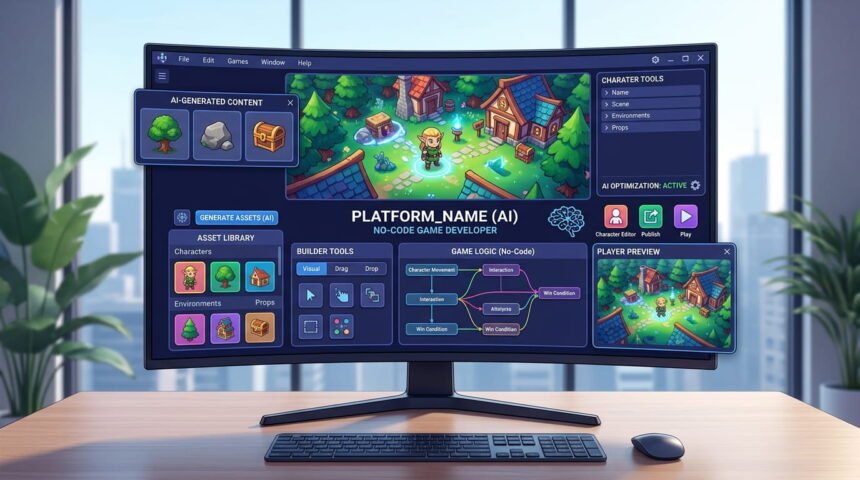
Creating a game no longer necessarily means learning a programming language first. An AI game maker that requires no coding can turn a written idea into a playable prototype by generating game logic, scenes, assets, interfaces, or other development components from natural-language instructions. In 2026, tools such as Rosebud, GDevelop, and Replit are making this workflow increasingly accessible to beginners.
The important distinction is that “no coding” does not mean every game can be produced perfectly with one sentence. AI can reduce the technical barrier, but creators still need to define the gameplay, test the result, correct problems, balance mechanics, and make decisions about publishing and ownership.
This guide explains how no-code AI game makers work, what they can create, which tools are worth considering, their limitations, and how to use them effectively.
What Is an AI Game Maker That Requires No Coding?
An AI game maker that requires no coding is a game-development platform that lets users describe what they want in ordinary language instead of manually writing programming code.
For example, a beginner might enter:

“Create a 2D platform game where a character jumps over obstacles, collects coins, and reaches a goal before the timer expires.”
Depending on the platform, the AI may generate some combination of:
- Game scenes
- Character movement
- Collision systems
- Game rules
- Menus
- Visual assets
- Sound elements
- Basic level structures
- Score systems
- Interactive objects
- Code running behind the scenes
The user does not necessarily see or write that underlying code.
Rosebud, for example, describes its AI game builder as a browser-based tool that can generate code, mechanics, and visuals from a user’s description and supports both 2D and 3D projects.

GDevelop takes a somewhat different approach. It is an open-source no-code game engine with optional AI assistance and supports both 2D and 3D development. Its visual event system lets creators build logic through conditions and actions rather than traditional programming.
How Does an AI Game Maker That Requires No Coding Work?
Most AI game makers that requires no coding follow a similar basic workflow, although the amount of automation differs between platforms.
1. Start With a Game Concept
The process normally begins with a description of the game.
Instead of thinking about programming commands, describe:
- Genre
- Player objective
- Character
- Controls
- Environment
- Enemies
- Scoring
- Win and lose conditions
- Visual style
A vague prompt such as “make a racing game” gives the AI very little direction.
A better prompt might specify the camera perspective, number of tracks, vehicle controls, obstacles, lap system, and visual style.

2. Let AI Generate the Initial Project
The platform interprets the description and creates the first version of the game.
Replit’s AI game builder, for example, allows creators to describe games using natural language and says its AI can handle elements such as game mechanics, physics, collision detection, character movement, assets, and deployment.
This does not mean every generated project will immediately be production-ready. AI-generated games should be treated as a starting point that requires testing.
3. Test the Game
This step is easy to underestimate.
Play the game repeatedly and look for:
- Characters becoming stuck
- Incorrect collision detection
- Impossible levels
- Missing objectives
- Broken buttons
- Unclear instructions
- Unbalanced difficulty
- Performance problems
- Visual inconsistencies
A game that technically runs may still be unpleasant to play.
4. Improve It Through Additional Instructions
Instead of rebuilding everything, many AI tools allow creators to continue describing changes.
For example:
“Make the first level easier and increase the player’s jump height by 15%.”
Or:
“Add three enemy types, but make the flying enemy appear only after the player reaches level three.”
This conversational approach is one of the main advantages of AI-assisted game development.
5. Publish or Export
The final step depends heavily on the platform.
Some AI game makers are primarily designed for browser-based games and sharing. Others provide more traditional project workflows and publishing options.
GDevelop, for example, states that games can be published to Steam, mobile platforms, websites, and other online gaming platforms.
That difference matters if your objective is to create a quick playable experiment versus building a game intended for commercial distribution.
Best AI Game Makers That Require No Coding
There is no single best tool for every creator. The right choice depends on whether you want a quick browser prototype, a more flexible game project, or AI assistance inside a conventional development environment.
| Tool | Best suited for | 2D | 3D | No-code approach | Publishing flexibility |
|---|---|---|---|---|---|
| Rosebud AI | Fast browser-based AI game creation | Yes | Yes | Prompt-based | Mainly browser sharing |
| GDevelop | No-code game development with AI assistance | Yes | Yes | Visual events + AI | Strong |
| Replit | Browser-based games and web projects | Yes | Limited by project | Natural-language AI | Strong for web deployment |
| Unity AI tools | AI-assisted professional workflows | Yes | Yes | AI assistance rather than pure no-code | Very strong |
| Godot + AI tools | Flexible open-source development | Yes | Yes | AI-assisted, but technical knowledge helps | Strong |
Rosebud AI
Rosebud AI Game Builder is particularly relevant for beginners who want to describe an idea and see a playable result in a browser.
Its official documentation says users can describe game concepts and have the system generate initial code, mechanics, design elements, and assets. It also supports 2D and 3D game creation.
Its biggest advantage is simplicity. You can begin without installing a traditional game engine.
The limitation is that browser-first AI creation and professional game production are not necessarily the same thing. Check export and ownership options before committing to a project you eventually want to distribute commercially.
GDevelop
GDevelop is a different type of solution.
It combines a no-code game engine with optional AI assistance. Its event system is based around “If” conditions and “Then” actions, allowing users to construct gameplay logic without writing conventional code.
GDevelop also supports 2D and 3D projects and offers publishing options including Steam, iOS, Android, HTML5, and other platforms.
This makes it particularly interesting for creators who want more control than a simple prompt-to-game website provides.
Replit
Replit AI Game Builder approaches game creation from a browser-based software-development perspective.
Its official game-builder page says users can describe games such as platformers, endless runners, strategy games, and interactive stories through natural language. The AI can then generate the project’s structure, code, and assets and allow creators to refine the game conversationally.
Replit is especially useful when the game is closely connected to web technology.
The trade-off is that creators may eventually encounter technical concepts that are hidden initially but become relevant as the project becomes more complicated.
Unity AI
Unity is aimed much more toward established game-development workflows than pure no-code game generation.
Unity’s 2026 AI tools include an in-editor assistant and generators designed specifically around game-development projects. Unity says its AI tools can understand project context and assist with tasks such as answering questions, planning, generating code, and working with assets.
Unity’s tools are therefore better described as AI-assisted development rather than a completely code-free game maker.
That distinction is useful when comparing products.
Godot With AI Assistance
Godot remains a flexible open-source game engine, and its ecosystem is developing AI-assisted tools.
For example, a community asset called Godot AI Workbench can connect AI agents to Godot 4 projects and allow them to inspect and modify scenes, resources, scripts, and project settings, as well as assist with playtesting and debugging.
This approach can be powerful, but it is not the easiest choice for someone who wants absolutely no technical concepts.
AI Game Maker vs Traditional Game Engine
The difference becomes clearer when comparing the two approaches.
| Feature | AI No-Code Maker | Traditional Engine |
|---|---|---|
| Initial setup | Usually quick | Often requires installation and configuration |
| Programming requirement | Low or none initially | Usually significant |
| Speed of prototyping | Very fast | Slower initially |
| Creative control | Varies by platform | Usually very high |
| Learning curve | Lower | Higher |
| Complex systems | Can become difficult | Better suited |
| Asset generation | Often integrated | Usually separate or optional |
| Export options | Vary considerably | Generally broader |
| Long-term flexibility | Depends on platform | Usually stronger |
The key point is that no-code and professional development are not opposites.
A beginner can use AI to get a prototype working and later move into a traditional engine if the project demands more control.
What Types of Games Can You Make Without Coding?
Modern AI and no-code platforms can handle many relatively contained game concepts.
Platformers
Simple platform games are a good starting point because their basic mechanics are easy to describe:
- Running
- Jumping
- Platforms
- Collectibles
- Enemies
- Checkpoints
- Goal areas
Puzzle Games
Puzzle games can also work well because the gameplay rules can often be expressed clearly.
Examples include:
- Matching games
- Word puzzles
- Trivia
- Maze games
- Logic challenges
- Memory games
Endless Runners
An AI system can create the basic structure for a character that automatically moves forward while the player avoids obstacles and collects items.
Interactive Stories
AI game tools can also help create branching stories with dialogue, decisions, scenes, and different endings.
Simple RPG Prototypes
Basic RPG concepts can be generated, including characters, inventory systems, quests, combat concepts, and maps. However, a large RPG with hundreds of interconnected systems remains much harder to manage without technical knowledge.
Replit currently showcases AI-assisted workflows for RPG creation in which users describe elements such as turn-based combat, character classes, and locations through prompts.
What an AI Game Maker Still Cannot Replace
The biggest misconception surrounding an AI game maker that requires no coding is that AI removes the need for game-development knowledge.
It does not.
Game Design Still Matters
AI can generate a mechanic, but it cannot guarantee that the mechanic is fun.
A technically functional game may have:
- Poor pacing
- Repetitive gameplay
- Confusing objectives
- Weak progression
- Unbalanced difficulty
- Too many unnecessary features
Human judgment remains essential.
Testing Is Still Necessary
AI-generated code and logic can contain mistakes.
A generated game should be tested from the player’s perspective, not merely checked to see whether it launches.
Complex Games Need More Control
A small browser game is very different from a large multiplayer title.
Features such as:
- Complex networking
- Advanced artificial intelligence
- Large inventories
- Persistent player economies
- Multiplayer synchronization
- Advanced physics
- Cross-platform optimization
can introduce technical requirements that no-code tools may not completely hide.
Common Mistakes When Using AI Game Makers
Giving the AI an Extremely Large Prompt
Trying to describe an entire game in one enormous request can produce inconsistent results.
A better strategy is to build progressively.
Start with:
- Core mechanic
- Player movement
- First level
- Scoring
- Enemies
- Menus
- Additional content
This makes problems easier to identify.
Changing Too Many Things at Once
If you ask an AI to redesign the level, change the character, replace the controls, add multiplayer, and modify the scoring system simultaneously, it becomes harder to determine which change caused a new problem.
Make controlled changes and test after each major modification.
Ignoring Ownership and Export Rules
This is one of the most overlooked issues.
Before spending weeks on a project, check:
- Who owns generated assets?
- Can the project be exported?
- Can you download the source?
- Can you publish commercially?
- Are there usage restrictions?
- Does the free plan include commercial use?
- Are generated assets subject to separate terms?
These conditions vary between platforms and can change over time.
How to Write Better Prompts for AI Game Makers
A strong prompt should describe the game as a design specification rather than a vague idea.
Include:
Genre: 2D platformer
Perspective: Side-scrolling
Player: Small robotic character
Objective: Reach the exit
Movement: Run and jump
Enemies: Three basic enemy types
Collectibles: Coins
Health: Three hearts
Level: Forest environment
Difficulty: Beginner
Visual style: Clean, colorful cartoon
Goal: Finish the level before the timer reaches zero
Then ask the AI to build only the first playable version.
After testing it, request specific changes.
This approach generally gives you more control than asking an AI to “make a complete professional game.”
The Overlooked Difference Between a Prototype and a Finished Game
This is one of the most important distinctions for anyone researching an AI game maker that requires no coding.
A prototype proves that an idea works.
A finished game requires much more:
- Consistent art
- Reliable performance
- Sound design
- Accessibility
- Difficulty balancing
- Bug testing
- Save systems
- Menus
- User interface
- Platform compatibility
- Privacy considerations where applicable
- Distribution assets
- Marketing materials
AI can accelerate many of these tasks, but it does not automatically turn a prototype into a polished commercial product.
That is why the best tool depends on your actual objective.
If you simply want to test a game concept with friends, a browser-based prompt tool may be ideal. If you want to develop a project for Steam or mobile distribution, export options and project ownership become much more important.
A Practical Workflow for Beginners
A beginner can reduce unnecessary complexity by following a simple development process.
Step 1: Choose One Core Mechanic
Do not begin with a 50-feature game.
Pick one mechanic that makes the game interesting.
Step 2: Build a Small Prototype
Create one playable level or scene.
The goal is to determine whether the basic gameplay works.
Step 3: Test It Yourself
Look for obvious problems before adding more features.
Step 4: Add One System at a Time
Add enemies, scoring, levels, menus, sound, and progression separately.
Step 5: Improve the Player Experience
Once the mechanics work, focus on:
- Controls
- Visual clarity
- Feedback
- Difficulty
- Sound
- Pacing
Step 6: Check Publishing Requirements
Before release, verify the platform’s current export, licensing, commercial-use, and distribution rules.
For example, if you plan to publish through itch.io, its creator guidelines emphasize accurate metadata, appropriate tags, screenshots, cover images, and truthful project information.
Who Should Use a No-Code AI Game Maker?
These tools are particularly useful for:
- Beginners
- Students
- Hobbyists
- Content creators
- Game-design students
- Writers experimenting with interactive stories
- Artists who want to add gameplay
- Entrepreneurs testing game concepts
- Developers who want faster prototyping
They can also help experienced developers create rough concepts before committing to a larger production workflow.
Who May Need a Traditional Engine?
A conventional engine may be a better choice when you need:
- Advanced 3D graphics
- Highly customized rendering
- Complex multiplayer systems
- Large-scale production
- Detailed optimization
- Full control over source code
- Specialized hardware support
- Long-term maintainability
In these situations, AI can still be useful as an assistant rather than the entire development environment.
Unique Insights: The Most Important Thing to Check Before Choosing an AI Game Maker
The most useful question is not simply, “Can this tool make a game?”
Ask:
What happens to my game after I make it?
A platform may generate a playable game quickly, but the long-term value depends on what you can do afterward.
Check five things:
1. Project Ownership
Determine whether you can download and retain the project or whether it remains tied to the platform.
2. Export Options
A browser preview is not the same as an installable Windows, Android, iOS, or Steam game.
3. Editing Freedom
Find out whether you can continue modifying the game after the AI generates it.
4. Commercial Rights
Read the current terms before monetizing generated assets or gameplay.
5. Platform Dependence
A tool that requires its own website to run your game may create more dependence than an engine that gives you a conventional project.
This is why a tool that looks less impressive in a five-minute demonstration may actually be more useful for a long-term project.
AI Game Makers and the Future of Game Development
AI-assisted game creation is moving toward a workflow in which creators describe outcomes while AI handles increasing amounts of implementation.
The current market already includes several different approaches: prompt-to-game systems, no-code engines with AI, browser development environments, and AI assistants embedded inside traditional engines.
Unity’s 2026 AI beta is an example of the engine-integrated direction. Its AI tools operate inside Unity and can understand project context rather than functioning solely as a separate chatbot.
This suggests that the future is unlikely to consist of one universal “AI game maker.” Instead, different tools will probably serve different stages of development.
Some will focus on rapid prototypes. Others will focus on assets. Others will help programmers work faster inside established engines.
Frequently Asked Questions
Can I really make a game without knowing how to code?
Yes. Several modern platforms allow users to create games through visual interfaces or natural-language prompts without manually writing programming code. Rosebud and GDevelop are examples of platforms that specifically support no-code game creation. However, understanding basic game design and testing becomes increasingly useful as the project becomes more complex.
What is the easiest AI game maker for beginners?
A browser-based prompt-to-game platform is generally the easiest starting point because it removes installation and much of the traditional setup. Rosebud, for example, lets users describe a game and generate a playable project in the browser. GDevelop is another beginner-friendly option when greater control over the game-development process is needed.
Can AI make a complete game from one prompt?
AI can generate a playable starting point from a single prompt, but a complete commercial-quality game usually requires multiple rounds of refinement. Gameplay balance, bugs, visual consistency, performance, sound, accessibility, publishing, and platform compatibility still need attention. A single prompt is best viewed as the beginning of the development process rather than a replacement for testing and iteration.
Can I make a 3D game without coding?
Yes. Some current platforms support 3D creation without traditional programming. Rosebud states that its AI game builder supports both 2D and 3D games, while GDevelop supports 2D and 3D development through its no-code workflow.
Are AI-generated games free to publish?
Not necessarily. “Free to create” and “free to publish commercially” are different things. A platform may offer free creation while imposing limits on exports, usage, assets, hosting, or commercial rights. Always check the platform’s current terms before monetizing or distributing a generated game.
Can I publish an AI-generated game on Steam?
Potentially, but it depends on the tool and the project. Some platforms provide export or publishing workflows that can support desktop distribution, while others focus primarily on browser games. GDevelop, for example, explicitly lists Steam publishing among its supported distribution options.
Is AI better than learning game development?
AI is better viewed as a shortcut for some tasks rather than a replacement for understanding game development. Beginners can use AI to get started faster, but learning basic concepts such as gameplay loops, level design, debugging, performance, and user experience will make it much easier to evaluate and improve AI-generated results.
Conclusion
An AI game maker that requires no coding can dramatically lower the technical barrier to creating a playable game. Platforms such as Rosebud, GDevelop, and Replit demonstrate different versions of this approach, ranging from prompt-based browser creation to no-code engines and AI-assisted development environments.
The best approach is to start small, describe your mechanics clearly, test every generated version, and add features gradually. Most importantly, check ownership, export, licensing, and publishing options before investing heavily in a platform.
AI can handle much of the implementation, but the strongest results still come from a creator who knows what the game should feel like and is willing to refine it.