

The KT Online portal and mobile banking app make managing your Koperasi Tentera (KT) accounts simple. Whether you are a Malaysian Armed Forces member, a veteran, or an eligible civilian staff member, this official digital banking system allows you to skip physical branch visits. You can easily monitor your savings, apply for financing, and transfer funds.
This complete, step-by-step guide explains exactly how to log in, register for the first time, download the mobile app, and resolve common access issues safely.
What is KT Online?
KT Online is the secure internet banking platform developed by Koperasi Tentera (specifically Koperasi Angkatan Tentera Malaysia Berhad). The cooperative serves military personnel and defense employees, providing savings accounts, financial assistance, and insurance protection.
The digital platform bridges the gap between traditional cooperative services and modern mobile convenience. It is officially monitored under strict cooperative guidelines in Malaysia, ensuring high-level security for your personal wealth.
Key Features of the KT Online Platform
By registering for a secure account, members gain immediate access to a suite of essential financial tools:

-
Real-time Account Tracking: View your primary savings balances, outstanding financing balances, subscription accounts, and current insurance policies in one clear dashboard.
-
DuitNow and Interbank GIRO (IBG): Transfer money directly to other bank accounts instantly or schedule recurring payments.
-
Financing and Bill Payments: Settle your monthly Koperasi Tentera financing dues or pay insurance policy premiums securely.
-
Dividend Information: Review your annual dividend distributions directly through the digital dashboard without waiting for print letters or calling customer service.
First-Time Registration Process
If you are a registered member of Koperasi Tentera but have never used the internet portal, you must complete a one-time activation process to secure your profile. Before beginning, ensure that your mobile phone number is updated in the Koperasi Tentera master records.
Step-by-Step Login Guide for KT Online
To safely access your funds via a desktop computer or mobile browser, always follow these secure login steps:

-
Open Your Browser: Use a modern web browser (such as Google Chrome, Safari, or Microsoft Edge) and go to the official URL:
[https://www.ktonline.com.my](https://www.ktonline.com.my). -
Verify the Web Address: Ensure the URL starts with
https://and displays a secure padlock icon in your browser’s address bar. -
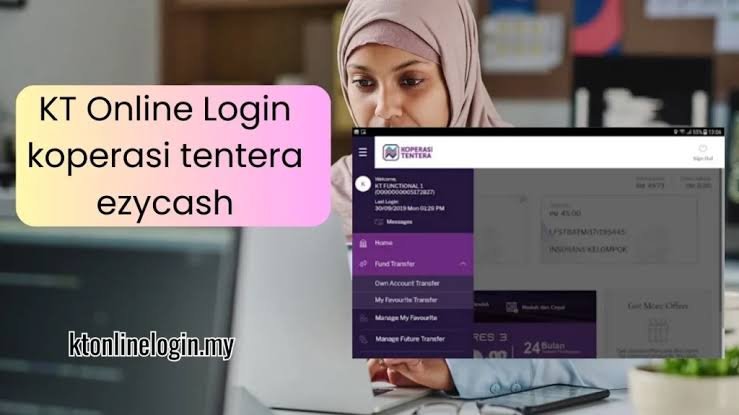
Enter Username: Type in your registered username and click “Proceed”.
-
Confirm Security Phrase: On the next screen, verify that your pre-selected security image and phrase are displayed correctly. Do not enter your password if these details are incorrect or missing.
-
Enter Password: Type your password and click log in. You will be directed immediately to your personalized account dashboard.
Downloading the Official KT Online Mobile App
For banking on the move, Koperasi Tentera offers a dedicated mobile application for iOS and Android devices.
-
iOS Users (iPhone & iPad): Search for “KT Online” in the Apple App Store. The developer is officially listed as Koperasi Tentera. It requires iOS 14.0 or later.
-
Android Users: Locate the app in the Google Play Store. Verify the publisher is Koperasi Angkatan Tentera Malaysia Berhad to avoid counterfeit apps.
Mobile App Safety Warning
Never download the mobile banking app APK from third-party websites, forums, or unofficial direct-download portals. Only use the official Apple App Store or Google Play Store to protect your financial credentials.
Koperasi Tentera Accounts Comparison
Koperasi Tentera offers several distinct account types. You can monitor and transfer money across these products using the web portal:
| Account Type | Primary Purpose | How to Monitor Online | Withdrawal Terms |
| Yuran (Subscription Account) | Mandatory monthly member fees and long-term capital accumulation. | Balance shown under the main dashboard “Subscription Overview”. | Typically locked until membership is terminated. |
| Savings Account (Simpanan) | Flexible, day-to-day savings for members and their children. | Fully visible under “Savings Account” on the home screen. | Eligible for instant transfer via DuitNow or IBG transfer. |
| Financing Account (Pembiayaan) | Personal, housing, or micro-enterprise cooperative loans. | Displays outstanding principal, remaining terms, and payment schedules. | Repayments can be processed online or via salary deduction. |
Troubleshooting Common KT Online Errors
If you run into issues while trying to log in or complete a transfer, try these quick fixes:
-
“Invalid Username or Password”: Re-enter your credentials. Remember that passwords are case-sensitive. If you forget your details, use the “Forgot Username” link on the home page.
-
OTP SMS Not Received: Ensure your mobile phone has a stable cellular network connection. If you still do not receive the message, your registered phone number may be outdated in the system. You will need to visit a branch to update it.
-
Locked Account: To protect against unauthorized entry, the system locks your account after three consecutive failed password attempts. You must contact the Koperasi Tentera hotline at +603-2303 0000 to verify your identity and unlock your access.
-
App Crash on Start: Make sure your mobile device is running the latest operating system update. Uninstall the app, restart your phone, and perform a fresh install from the app store.
Expert Security Checklist for Military Banking
Securing your financial profile online requires constant care. Because cooperative banking databases are prime targets for bad actors, adopt these safety habits:
-
Activate Biometrics: Set up fingerprint or face recognition in your mobile app to bypass manual password entry on the go.
-
Set Up Secure Push Alerts: Turn on notifications for all transactions to detect unauthorized transfers immediately.
-
Avoid Public Wi-Fi: Do not check your accounts or complete payments on public hotspots. Use cellular data or secure, password-protected home networks.
-
Inspect the SSL Certificate: Ensure the lock icon in your browser’s address bar is active and points directly to Koperasi Tentera.
Expert Verdict
For Koperasi Tentera members, setting up KT Online is highly recommended. It completely replaces the need to call customer care or travel to a physical branch for basic transactions. By following the structured registration steps and maintaining strong mobile safety habits, you can monitor your cooperative assets, make fast payments, and check your dividends seamlessly.
Frequently Asked Questions (FAQs)
How can I check my Koperasi Tentera dividend balance?
You can view your annual dividend distributions directly by logging into the KT Online portal or mobile app. Alternatively, you can contact the Koperasi Tentera Customer Care Centre at +603-2303 0000 for automated phone assistance.

Can I register for KT Online if I am retired from the military?
Yes. If you maintain an active pension or veteran membership with Koperasi Tentera, you are fully eligible to register for and use the online banking system. You simply need your account number and registered mobile number.
What is the transaction limit for fund transfers on the app?
The daily transfer limit depends on your personalized settings within the app. By default, DuitNow transfers have a set maximum limit to prevent fraud, which you can adjust within your account settings.
Why is my first-time registration showing an “Invalid ID” error?
This error typically means the identification number (MyKad or Military ID) you entered does not match the information in the Koperasi Tentera database. If you are using your new civilian IC number instead of your old military ID, call the customer service desk to update your official profile details.
How do I terminate my Koperasi Tentera membership?
You cannot close your membership online. You must submit a signed letter of resignation, a copy of your Identity Card (IC), and your target bank account details to your nearest physical branch office.