

Accessing your official Ministry of Education (KPM) training account should be quick and completely hassle-free. To complete your Splkpm login, you must navigate directly to the official portal and enter your registered MyKad credentials. This comprehensive guide provides the precise steps, troubleshooting protocols, and point-logging actions needed to secure your professional development records.
Understanding the SPLKPM Platform
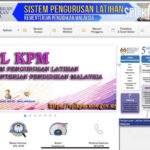
SPLKPM stands for Sistem Pengurusan Latihan Kementerian Pendidikan Malaysia. It is the centralized database used by the Malaysian Ministry of Education to track the continuous professional development (CPD) of educators.
Every government teacher and school administrator is required to use this portal. Keeping your training profile updated directly impacts your career progression and promotion readiness.
                  +-----------------------------------+
                  |   Sistem Pengurusan Latihan KPM   |
                  +-----------------------------------+
                                    |
            +-----------------------+-----------------------+
            |                                               |
  [ Individu / Guru ]                             [ Pentadbir / SULDP ]
  - Log CPD training points                       - Verify school training sessions
  - Submit book reviews                           - Approve individual submissions
  - Track annual progress                         - Generate compliance reports
The Transition to myPPB and IDme
The ministry has increasingly integrated identity services to streamline user access across different platforms. The SPLKPM framework now closely aligns with the myPPB (Pembangunan Profesional Berterusan) database.
Understanding this unified ecosystem prevents login confusion when the systems sync. All your earned training hours remain safe within this integrated digital infrastructure.
Step-by-Step Splkpm login Guide for Malaysian Teachers
Accessing your personal dashboard requires following a exact sequence to avoid system lockouts. Follow these steps carefully to access your account.
Troubleshooting Common Splkpm login Errors
System errors and locked accounts can delay your training registrations. Knowing how to resolve these issues independently saves valuable time.
1. The “Kad Pengenalan Tidak Wujud” Error
This message indicates that your MyKad number is not recognized by the central database. This typically happens to newly registered teachers or those transferred to new school divisions.
Contact your school’s Setiausaha Latihan Dalam Perkhidmatan (SULDP) immediately to verify your registration status. They can quickly add your profile to the school’s active registry list.
2. Forgotten Password Recovery
If your Splkpm login fails due to an incorrect password, do not repeatedly guess the credentials. The system may lock you out after several failed attempts.
Click on the “Lupa Kata Laluan” link located right below the login portal fields. Enter your registered email address to receive a secure password reset link.
3. Server Maintenance Lag
The portal experiences heavy traffic surges during school holidays and toward the end of the academic year. During these peak intervals, you may encounter a “Connection Timeout” page.
Clear your browser’s history and cache before attempting to log in again. Alternatively, complete your login during off-peak hours such as early mornings or late evenings.
SPLKPM Portal Architecture and Modules
The portal is segmented into different access points based on administrative hierarchy. Each module serves a specific purpose in the professional development tracking process.
How to Record Your CPD Points Successfully
Once you successfully complete your Splkpm login, your main objective is keeping your training record active. The system categorizes professional development into several activities.
Registering Private Reading (Pembacaan Buku)
Reviewing professional literature is one of the easiest ways to earn CPD points from home. You can register up to four book reviews per calendar year.
-
Click on the “Pembacaan Buku” link under your individual dashboard.
-
Select “Tambah Rekod” to open the reporting form.
-
Fill in the exact book title, author, publisher, and year of publication.
-
Write a brief synopsis highlighting how the book improves your teaching methodology.
-
Click submit to send the entry to your SULDP for official approval.
Logging External Courses (Latihan Di Luar KPM)
Attending workshops organized by private entities or external NGOs requires manual self-registration. Always keep a digital copy of your attendance certificate handy.
You will need to input the exact start and end dates of the training program. The system calculates your credit points based on the total active learning hours logged.
Upload your certificate in PDF format directly to the portal to expedite the verification process. Your school SULDP will review the attachment before validating your points.
Security Practices for Malaysian Educators
Protecting your personal data on government portals is a professional responsibility. Unauthorized access can lead to lost records or compromised personal identifiers.
Keep your login details private and avoid saving passwords on shared school computers. Always log out manually when using devices in staff rooms or computer labs.
+-------------------------------------------------------------+
|               RECOMMENDED PASSWORD POLICY                   |
+-------------------------------------------------------------+
|  [x] Minimum of 8 characters in total length                |
|  [x] Includes at least one uppercase letter (A-Z)           |
|  [x] Contains at least one numeric digit (0-9)              |
|  [x] Free of personal markers (like your birthday or name)  |
+-------------------------------------------------------------+
Update your password at least once every six months to prevent brute-force entry. Regular security updates help ensure your Splkpm login path remains safe and fully functional.
Expert Verdict
Staying on top of your professional points is essential for every educator in Malaysia. Do not leave your SPLKPM logging to the very end of the school year.
Make it a weekly habit to verify your logged hours, review your profile status, and confirm SULDP approvals. Consistent logging ensures a stress-free path to your next career promotion.
Frequently Asked Questions
1. Why does my Splkpm login fail with an invalid credentials error?
This error usually occurs due to a mismatch in your password or a typo in your 12-digit MyKad number. Ensure you have not entered any dashes or spaces in the identity card field. If the problem persists, use the self-service password reset utility or contact your school’s SULDP administrator to verify your active profile status.
2. Can I perform a Splkpm login on my mobile device?
Yes, the platform is accessible through standard mobile web browsers on both iOS and Android devices. For optimal stability and to upload document attachments easily, using a desktop computer running Google Chrome or Mozilla Firefox is highly recommended.
3. What are the annual CPD points requirements for KPM teachers?
The standard target for teachers is to accumulate at least 42 CPD points and attend five days of training annually. These requirements can fluctuate based on your specific grade level and district directives, so always cross-check targets with your school management.
4. How long does it take for a book review to show up in my active points?
Once you submit a book review, it remains in a “Pending” state until your school SULDP reviews and approves the entry. This process usually takes anywhere from a few days to two weeks depending on your coordinator’s administrative schedule.
5. What should I do if my registered email address has changed?
If you can still access your dashboard, you can update your active email address directly under the personal profile settings tab. If you are locked out and cannot receive a recovery link, your school’s SULDP must update your contact details in the administrator portal.